GUIDE / 02 · TROUBLESHOOTING
Taipei GTA
black screen and slow loading.
A slow start does not always mean the game is broken. The 3D city may still be downloading, keyboard focus may still sit on the web page, or the screen in front of you may be a normal lock or a not-enough-cash notice. Work through these checks in order instead of refreshing again and again.
QUICK ANSWER
What should I check if Taipei GTA has a black screen?
If the loader sits at 準備中 0%, wait 20–30 seconds: the game retries once by itself. When the picture appears, click inside the game so it receives the mouse and keyboard. Still stuck? Reload, turn off data saving or switch browser; if it stutters, lower Graphics and pick 30 FPS power saving. Do not clear site data first, because your save lives there.
See how far the loader has got
The homepage starts loading the game once the page itself has finished. The progress area at the bottom right first reads 準備中 (Preparing). Once the main program is running, the stage name moves through 調校聲音 (Tuning the soundscape), 天空、山與河 (Sky, hills & rivers), 蓋起公寓與騎樓 (Walk-ups & arcades), 街區與巷弄 (Neighbourhoods & alleys) and more, ending on 去臺北狂飆! (Let's ride!), while a 臺北小知識 (Taipei tip) rotates at the bottom. As long as the stage name or the percentage keeps changing, the load is healthy; the first visit downloads the whole 3D city, so give it time on a slow connection.
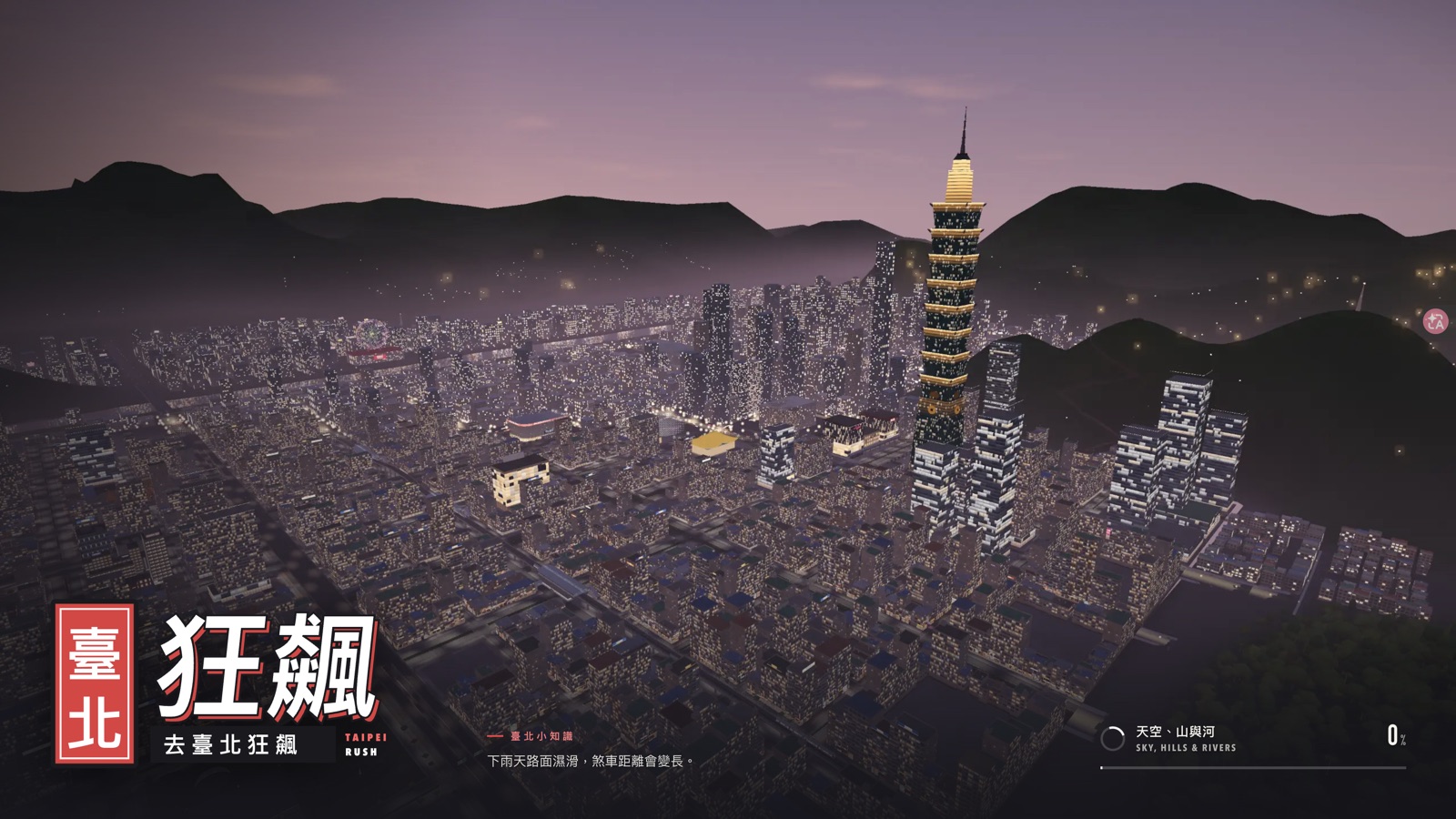
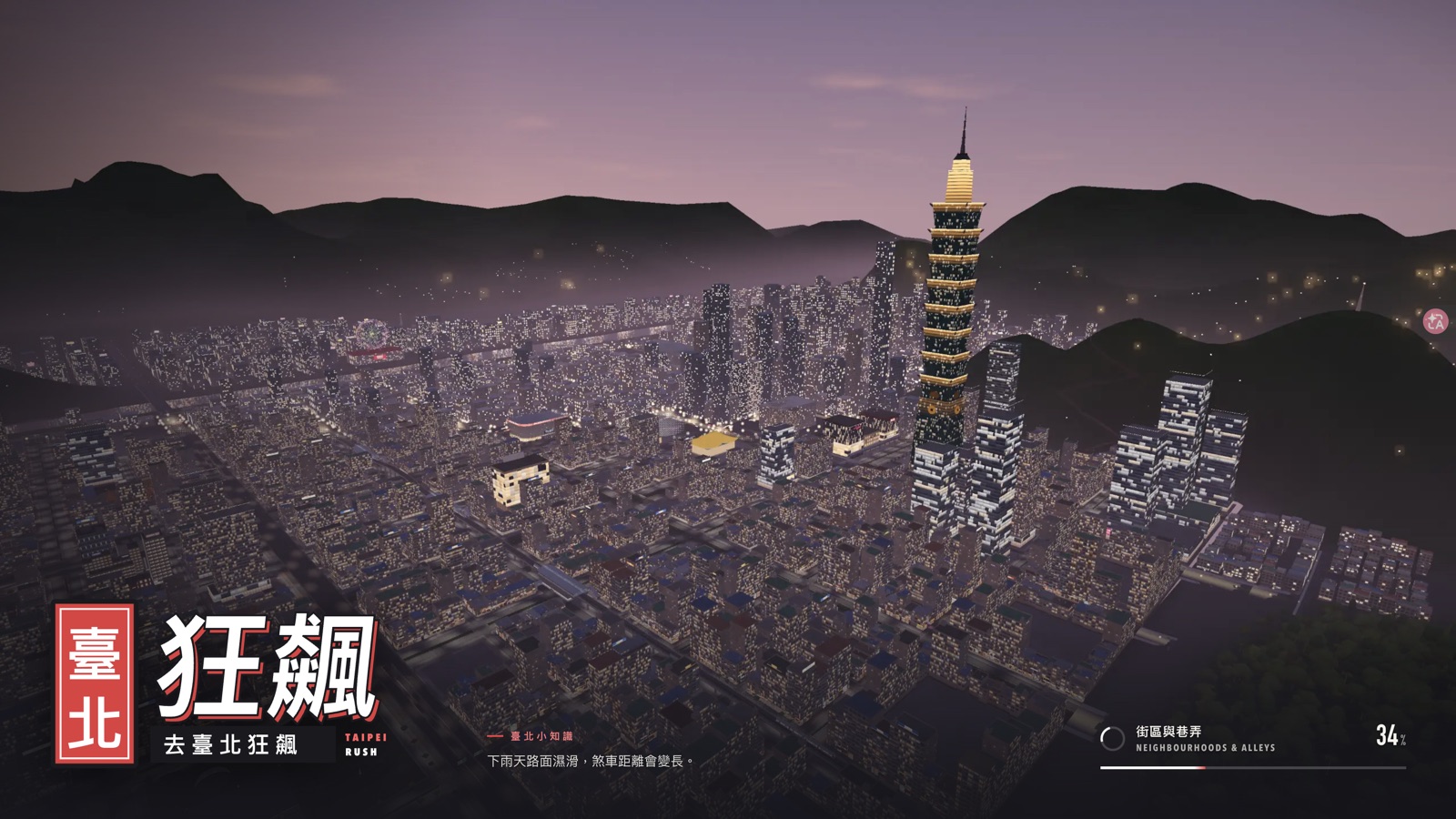
Stuck at 準備中 0%? Wait 20–30 seconds
If the label stays on 準備中 at 0%, the main program has not started yet. The game code includes a boot watchdog: if the main program has not started within 20 seconds on a computer (30 seconds on a phone or tablet) and no file has finished downloading for 15 seconds, the game treats the load as failed and reloads itself once, at most once every five minutes. A frozen 0% therefore deserves 20–30 seconds before you step in. This site's game frame adds its own notice, "The game page is still loading," with a Reset load button when nothing has arrived after 20 seconds.
Still frozen: reload, turn off data saving, switch browser
If the automatic retry fails as well, the game shows "Taipei Rush could not finish loading (the network or a server file failed). Please reload." with a Reload button. Press it, or use Reload under the game frame. If that does not help, turn off data-saver or Low Data Mode, pause ad- and script-blocking extensions, then try Chrome, Edge or Safari. If you opened the link inside LINE or another app, the game itself warns that built-in browsers have less memory and reload more often; open it in Safari or Chrome instead.
"The game is open in another tab"
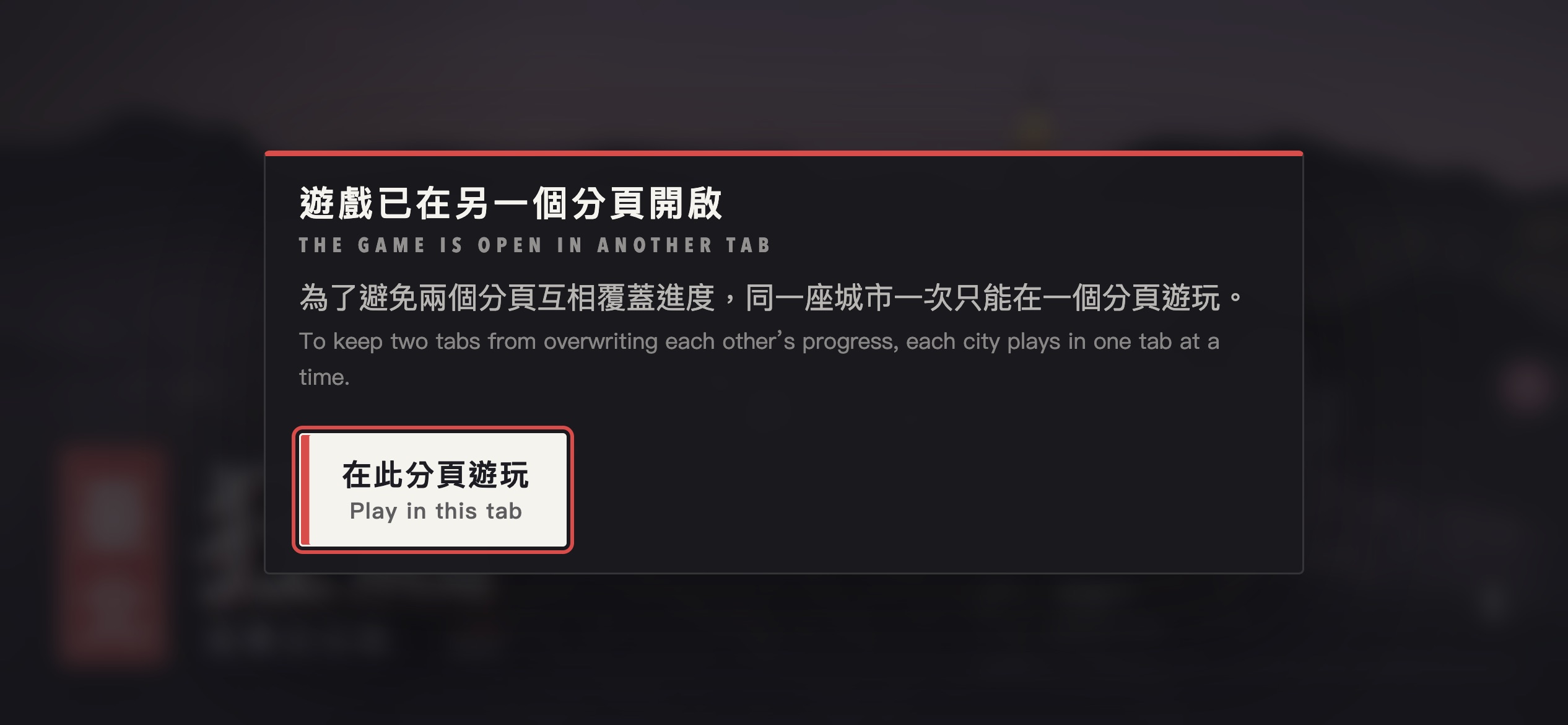
To stop two tabs overwriting each other's progress, each city runs in one tab at a time. Opening the homepage twice, or opening /play/ directly next to it, brings up this notice. Press Play in this tab to move the game here; the other tab switches to "Playing in another tab" and confirms that your progress is saved. Close whichever tab you do not need.
The picture is there but keys do nothing: click the game
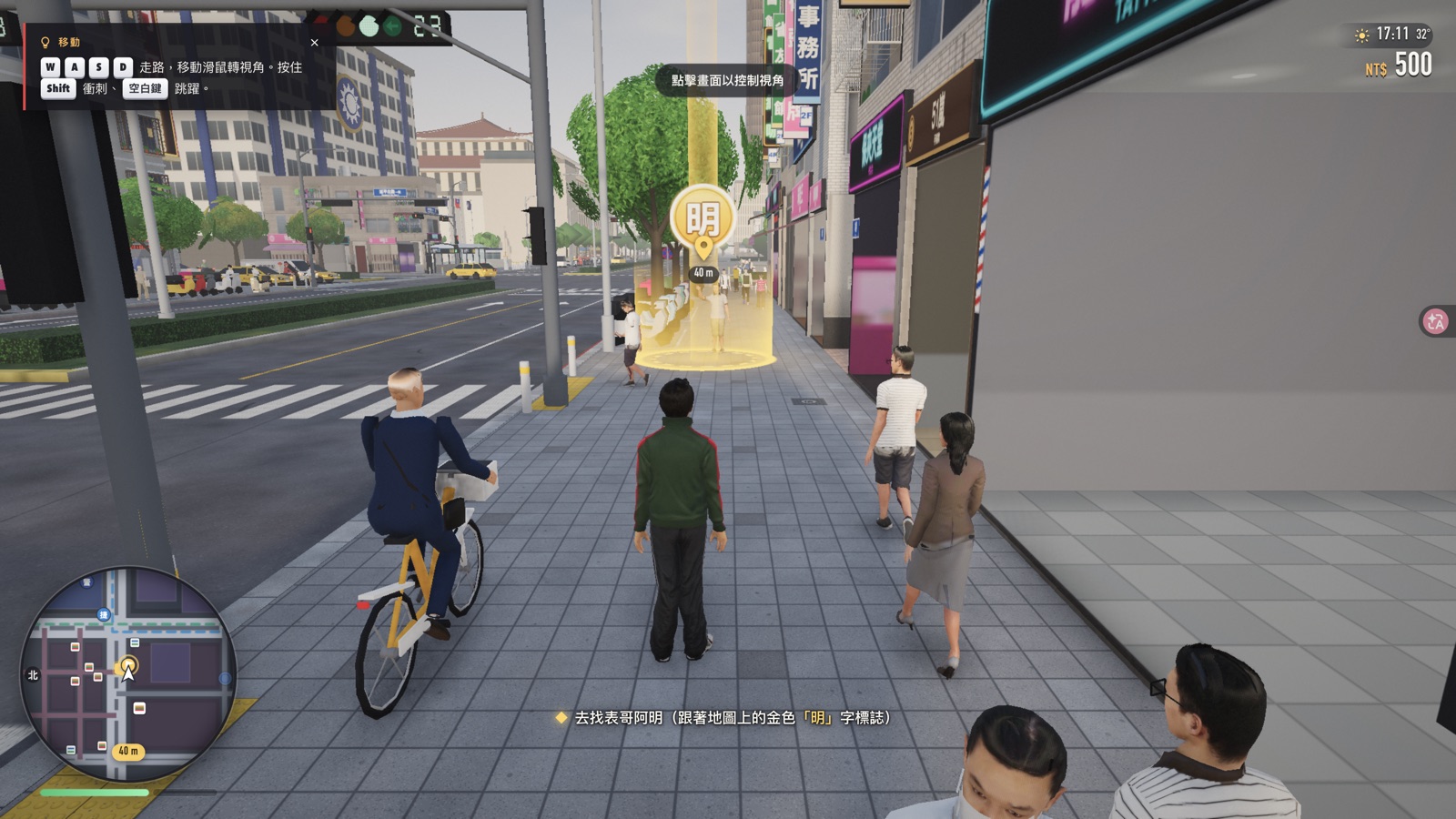
When 點擊畫面以控制視角 (Click to control the camera) appears near the top of the screen, the mouse and keyboard have not been handed to the game yet. Click once inside the game: the mouse then turns the camera, and W A S D, M and Esc reach the game. Esc releases the mouse and pauses. After scrolling the page or switching tabs, click the game again.
Stutter or a low frame rate: lower Graphics, pick 30 power saving
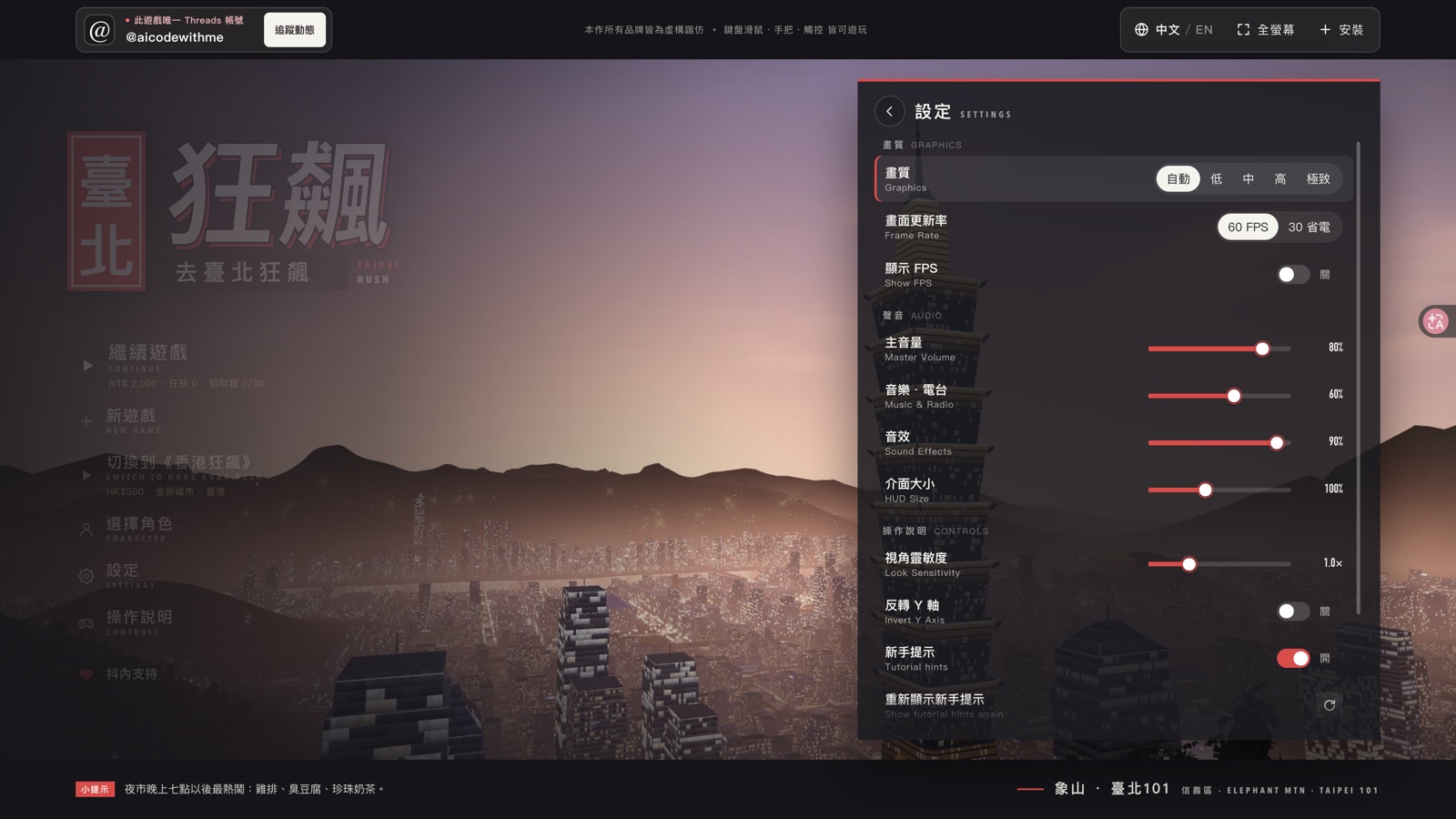
Open Settings (設定) from the title menu or the Esc pause menu. Graphics (畫質) runs from 自動 Auto through 低 Low, 中 Medium and 高 High to 極致, the top setting; drop to Low or Medium first. Switch Frame Rate (畫面更新率) from 60 FPS to 30 省電, the power-saving option, and turn on Show FPS to compare before and after. Close other tabs and videos. On a computer, check that hardware acceleration is on in the browser, which is also what the game's own WebGL error screen asks for.
A phone keeps reloading: it is running out of memory
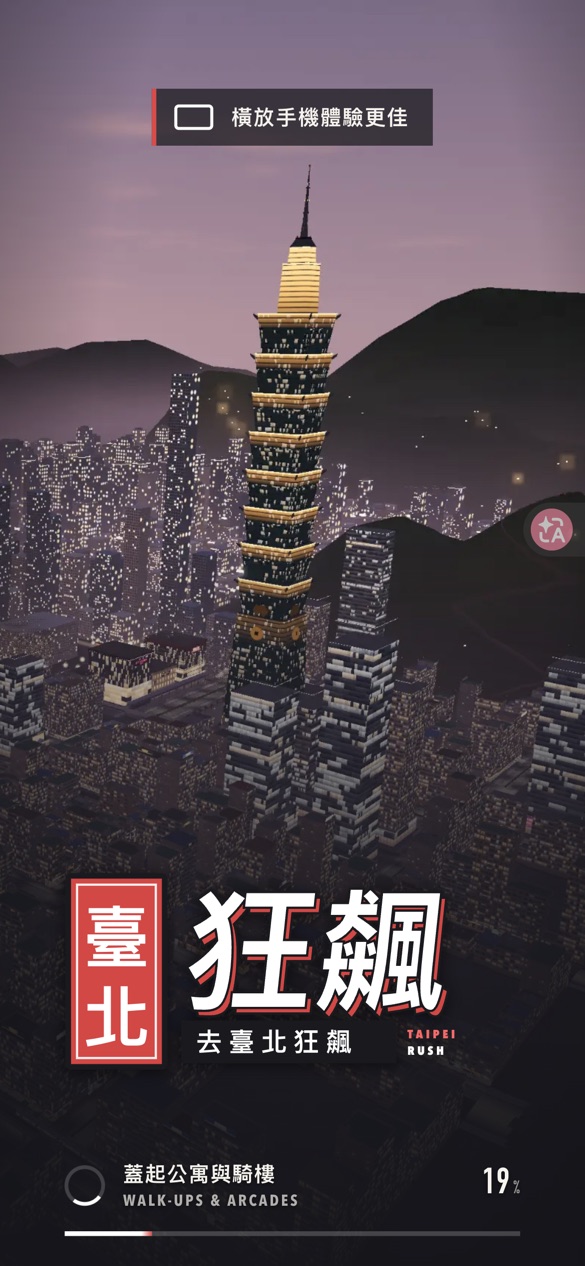
Hold the phone in landscape (held upright, the loader itself asks you to turn it sideways) and close background apps and other tabs. According to the game code, there are two memory screens. When graphics memory runs out you see "The graphics memory ran out — the game is paused (progress saved)," with a button to reload in memory-saving mode (on a computer, at lower quality). When 3D cannot start at all you see "3D graphics (WebGL) could not start," which explains that after a graphics crash the browser blocks 3D for about two minutes, so wait before reloading. We have not triggered either screen on a real phone. If the reloads continue, switch to a computer and carry your progress over with Back up save and Import save on the homepage.
Kaohsiung will not open: that is a lock, not a fault
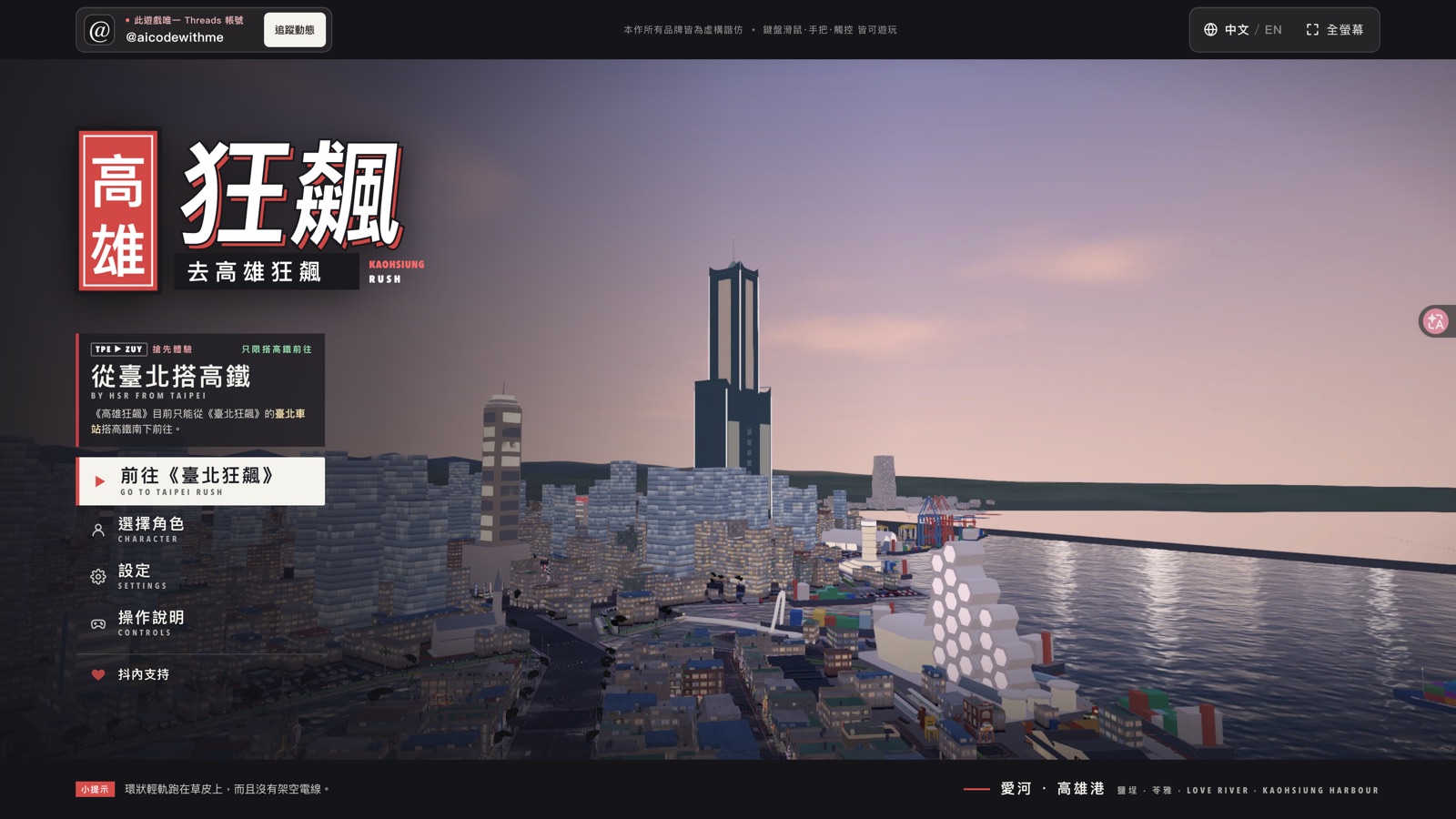
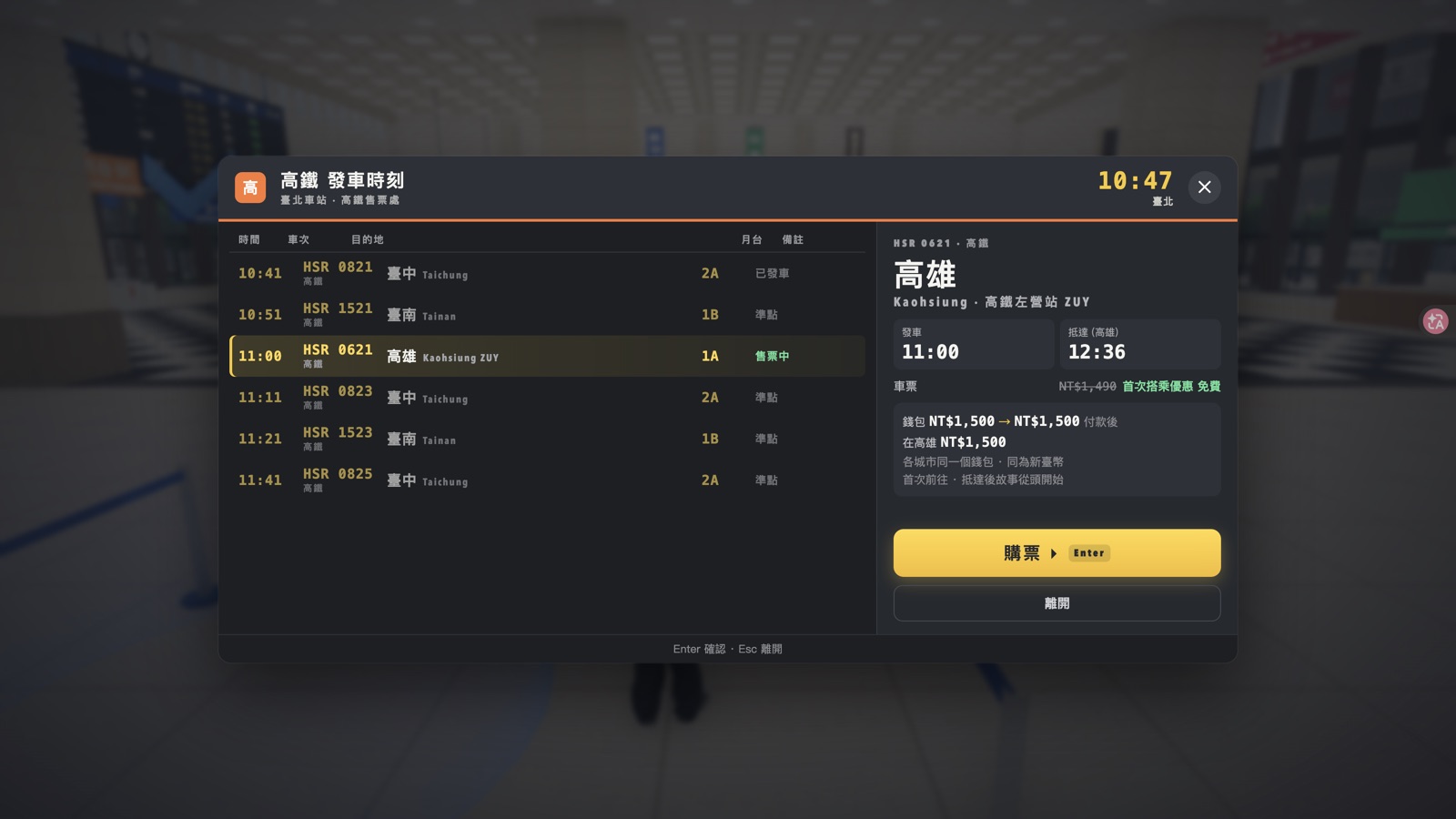
The creator marks Kaohsiung as early access (搶先體驗). In a browser that has never been there, opening /play/kaohsiung/ directly shows "Ride down from Taipei" and "By train only," with a single Go to Taipei Rush button. Go to the HSR ticket office at Taipei Main Station and press E to buy a ticket: NT$1,490, and your first intercity trip is free. One ride unlocks the city, and after that you can switch to it from the title menu.
No plane ticket: "Not enough cash" is not a bug
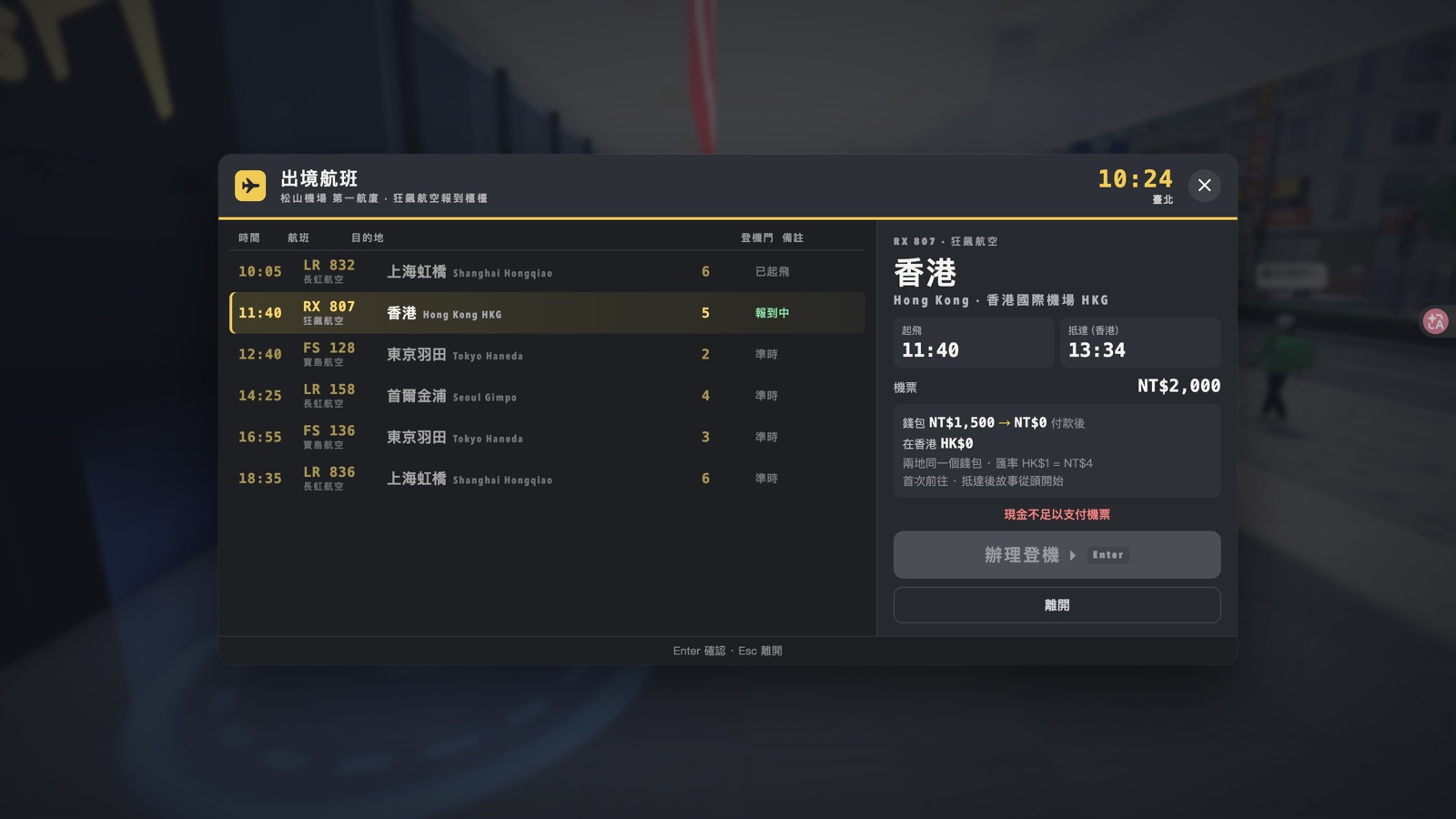
A RUSH AIR flight from Songshan Airport costs NT$2,000 and the HSR to Kaohsiung NT$1,490. Your first intercity trip, by plane or by train, is free; after that you pay cash. With too little in your wallet the board shows "Not enough cash for the fare" in red and the check-in button turns grey. Being wanted or being in the middle of a mission also blocks boarding, and the board says why: lose the police or finish the mission first.
For the game's Touch prompt and the limits of current phone testing, read the mobile and loading guide.
What the on-screen messages mean
Quoted from the game's English interface where it exists. With the game set to Chinese you will see the Chinese version of the same message.
| On screen | What it means | What to do |
|---|---|---|
| 準備中 0% (not moving) | The main program has not started; files are still downloading, or one failed | Wait 20–30 seconds; the game retries once on its own |
| Taipei Rush could not finish loading (the network or a server file failed). Please reload. | The automatic retry failed too | Press Reload; try another network or come back later |
| The game page is still loading. | This site's notice: the frame has received nothing for 20 seconds | Check the connection, turn off data saving, press Reset load |
| The game is open in another tab | The same city is running in another tab | Press Play in this tab, or close the other tab |
| Click to control the camera | The mouse and keyboard are not with the game yet | Click inside the game |
| Turn your phone sideways for the best view | The phone is upright; the game is built for landscape | Rotate the phone to landscape |
| The graphics memory ran out — the game is paused (progress saved) | Graphics memory is exhausted | Use the reload button on that screen; close other tabs and apps |
| 3D graphics (WebGL) could not start. | The browser could not start 3D | Close other tabs or apps, wait about two minutes, then reload; on a computer, enable hardware acceleration |
| By train only (Kaohsiung) | Kaohsiung is not unlocked in this browser yet | Take the HSR from Taipei Main Station once |
| Not enough cash for the fare | The free first trip is used and the wallet is short | Earn money from missions or jobs first |
| You're wanted — airport police are watching. Lose the cops first. | You cannot board while wanted | Shake off the police, then come back |
| You're on a mission — finish it before you fly. | A mission is running | Finish the mission first |
| Couldn't save the ticket (browser storage is full) — refunded. | The browser's storage is full | Back up your save from the homepage, reload and try again; do not clear this site's data, because your save lives there |
How this page was checked
Played on this site: on 2026-10-10 we opened this site's /play/ copy in a desktop browser (Edge) and captured the nine screenshots above: two loading stages, the other-tab notice, the opening camera prompt, the Settings panel, the upright-phone loader, the Kaohsiung lock, and the flight and HSR boards. The two phone-sized images come from desktop browser emulation, not a real phone.
Game interface text: the messages in the table are quoted from the interface strings of the creator's build f0c53c96849d, synced on 2026-10-10.
Read from the code, not triggered: the 20/30-second boot watchdog and its single automatic retry, the graphics-memory and WebGL screens, and the in-app browser warning. We have not reproduced these on a real iPhone or Android phone, and these steps cannot promise to fix every black screen.
Test the original game page; if the original site also has no image, the game service or current network state may be responsible. Try again later or return to the Taipei entry. Resetting may lose progress that has not been written yet.